IPTV Multi-Device Streaming: Watch on Every Screen
IPTV Multi-Device Streaming: Watch on Every Screen
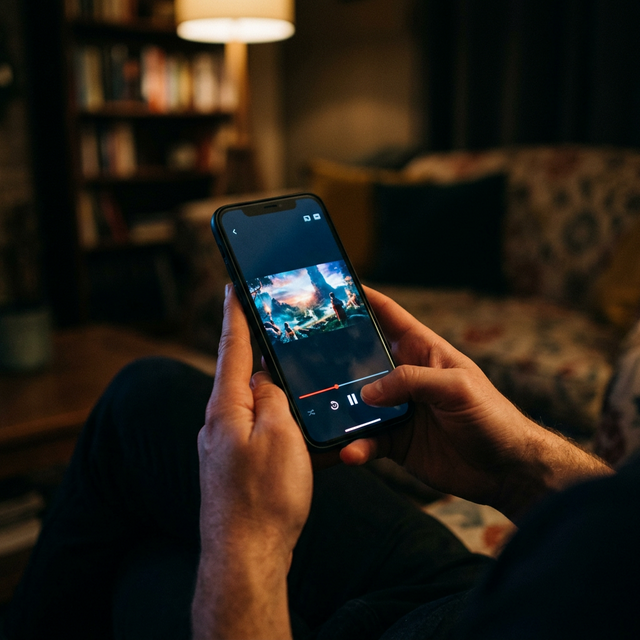
The average household in 2026 contains six to eight internet-connected screens: televisions, smartphones, tablets, laptops, and desktop monitors. Cable television serves one of those screens at a time per set-top box. IPTV serves all of them, often simultaneously, from a single subscription. That fundamental difference — universal device access — is one of the strongest reasons people switch from cable to IPTV and one of the features they value most once they have it.
This guide covers which devices support IPTV, which apps work best on each platform, how simultaneous streaming works, and how to configure your home network for the best multi-device experience.
Supported Devices: The Complete List
Modern IPTV services support virtually every screen in your home and pocket. Here is a breakdown of every major device category and the IPTV apps available for each.
- Amazon Fire TV Stick (all versions): Supports TiviMate, IPTV Smarters Pro, XCIPTV, OTT Navigator, and others via sideloading. The most popular dedicated IPTV device due to affordability and performance.
- Android TV / Google TV devices: Full Google Play Store access means easy installation of IPTV apps. Includes NVIDIA Shield, Chromecast with Google TV, Xiaomi Mi Box, and TVs running Android TV OS.
- Samsung Smart TVs (Tizen): Supports Smart IPTV, IPTV Smarters, and OTT Navigator through the Samsung app store or sideloading methods.
- LG Smart TVs (webOS): Supports Smart IPTV and SS IPTV. App selection is more limited than Android platforms but covers the essential functionality.
- Apple TV (4K and HD): Supports IPTV Smarters, GSE Smart IPTV, and other players available on the tvOS App Store.
- iPhone and iPad (iOS): IPTV Smarters, GSE Smart IPTV, and several other players on the iOS App Store. Excellent for portable viewing.
- Android Phones and Tablets: The widest app selection of any platform. TiviMate, IPTV Smarters, XCIPTV, OTT Navigator, VLC, and dozens of other options.
- Windows PC / Laptop: VLC Media Player, MyIPTV Player (from Microsoft Store), IPTV Smarters for Windows, or any web-based player.
- Mac: VLC Media Player, IINA, or browser-based players.
- MAG Boxes (322, 420, 520, etc.): Purpose-built IPTV devices using portal URL and MAC address authentication. Stable and straightforward.
- Formuler Devices: Run the proprietary MyTVOnline app with an intuitive interface and strong EPG integration.
- Roku: Limited native IPTV app support, but some services offer Roku-compatible apps or screen mirroring options.
Understanding Simultaneous Connections
Every IPTV subscription includes a specific number of simultaneous connections — the number of devices that can actively stream at the same time under one account. This is different from the number of devices your account is installed on. You can install the IPTV app on ten devices, but if your plan allows two simultaneous connections, only two of those devices can stream at any given moment.
For a single viewer, one connection is sufficient. A couple needs two. A family typically needs three or four to avoid conflicts during peak viewing hours. IPTVProvide offers multi-connection plans to fit different household sizes — check the available options at /pricing.
Simultaneous connections count active streams only. If your teenager is watching on their phone and your partner is watching on the bedroom TV, that uses two connections. If your teenager pauses and puts the phone down, the connection remains active until the app is closed or times out. Closing the app frees up the connection immediately.
Best IPTV Apps by Platform
Choosing the right IPTV app for each device significantly affects your viewing experience. The wrong app can mean sluggish channel switching, missing EPG data, frequent crashes, or no 4K support. Here are the top recommendations for each platform.
- Fire TV Stick — TiviMate: The gold standard for Fire TV. Fast channel switching, excellent EPG, multi-playlist support, and a clean interface. The premium version is worth the small one-time fee.
- Android TV — TiviMate or OTT Navigator: TiviMate for its EPG and speed, OTT Navigator for its flexibility and customization options.
- Samsung Smart TV — Smart IPTV or IPTV Smarters: Smart IPTV is simple and reliable. IPTV Smarters offers more features including VOD browsing and EPG.
- LG Smart TV — Smart IPTV: The most reliable option on webOS. Setup requires loading your M3U URL through the Smart IPTV website.
- iPhone / iPad — IPTV Smarters or GSE Smart IPTV: Both are polished and stable on iOS, with Smarters offering the more modern interface.
- Android Phone / Tablet — TiviMate or IPTV Smarters: TiviMate if you want the best EPG experience, Smarters if you prioritize a user-friendly layout.
- Windows — IPTV Smarters or VLC: IPTV Smarters for a dedicated interface, VLC if you prefer a lightweight player and are comfortable with M3U playlists.
- Mac — IINA or VLC: IINA for a native Mac experience with M3U support, VLC for cross-platform familiarity.
- MAG Box — Built-in Portal: No separate app needed. Enter the portal URL in settings and the built-in interface handles everything.
- Formuler — MyTVOnline 2: Pre-installed on Formuler devices. Polished interface with built-in EPG, VOD browser, and catch-up support.
Setting Up Multiple Devices
Once you have an IPTV subscription, setting up each device takes five to fifteen minutes. The process varies slightly by app and connection method, but the general steps are consistent.
For Xtream Codes API connections: Open your IPTV app, select Xtream Codes or API login, enter the server URL, your username, and your password. The app connects to the server, downloads the channel list and EPG data, and you are ready to watch. This method works on TiviMate, IPTV Smarters, XCIPTV, and OTT Navigator.
For M3U URL connections: Open your IPTV app, select M3U or playlist, paste the M3U URL provided by your IPTV service, and optionally add the EPG URL. The app loads the playlist and guide data. This method is universal and works on virtually every IPTV player on every platform.
For MAC-based connections (MAG boxes, STBEmu): Enter the portal URL in your device settings and provide your MAC address to your IPTV provider for registration. Once registered, the device connects automatically.
IPTVProvide provides all three connection methods with every subscription and offers device-specific setup guides at /setup-guide with screenshots and step-by-step instructions for each supported platform.
Network Optimization for Multi-Device Streaming
Running multiple IPTV streams simultaneously puts demands on your home network. Here are practical steps to ensure smooth playback across all devices.
- Bandwidth calculation: Each HD stream requires approximately 8-10 Mbps. Each 4K stream requires 25 Mbps. A household running three simultaneous streams (two HD, one 4K) needs at least 45 Mbps of actual throughput, not just advertised speed.
- Use wired connections for stationary devices: Connect your primary TV's streaming device via Ethernet rather than Wi-Fi. This reserves wireless bandwidth for mobile devices and eliminates the signal degradation that causes intermittent buffering.
- Router placement: Position your Wi-Fi router centrally in your home, elevated (not on the floor), and away from other electronics that cause interference (microwaves, cordless phones, Bluetooth devices).
- 5 GHz vs 2.4 GHz: Connect streaming devices to the 5 GHz band for faster speeds and less congestion. The 2.4 GHz band has longer range but lower throughput and more interference from neighboring networks.
- QoS (Quality of Service) settings: Many routers allow you to prioritize streaming traffic over other types of data transfer. Enable QoS and set your streaming devices as high priority to maintain consistent bandwidth allocation.
- Consider a mesh network: If your home has dead zones or your Wi-Fi signal drops between floors, a mesh network system provides consistent coverage throughout the entire house.
Start Streaming on Every Screen
IPTVProvide supports every major device platform and offers multi-connection plans that let your entire household watch simultaneously. With over 40,000 channels, 54,000+ VOD titles, and FHD/4K quality across all devices, every screen in your home becomes a complete entertainment center. Review the full feature list at /features and setup instructions at /setup-guide.
Visit /pricing to select a plan with the right number of connections for your household and start watching on every device within minutes. Need help with setup? Contact support via WhatsApp at +1 (559) 508-2154 for assistance with any device.
Ready to Start Streaming?
Get instant access to 20,000+ live channels, 4K streaming, and 80,000+ movies and series.
View Plans & Pricing